Your roster. Your rhythm.
Early shifts, nights, a second job and personal appointments: add individual entries or apply a repeating rotation. Keep breaks and credited hours separate.
Explore shift planningMade for life beyond the rota
A calmer way to plan changing work hours, keep every job in view, and discover the moments that fit both of you.

THE PRODUCT TOUR
Early shifts, nights, a second job and personal appointments: add individual entries or apply a repeating rotation. Keep breaks and credited hours separate.
Explore shift planningSee both rosters in one view. Render your partner in full color, pastel or grayscale. Shared windows account for confirmed schedules and the buffers you choose.
Understand shared timeUse month, week or agenda to plan. Personal focus for your own day, Together focus for the two of you. Native widgets give a glance at your own schedule.
Compare views and devicesTEMPLATES AND ROTATIONS
Define shift types with times, breaks and a job. Combine them into a cycle with work, off and unconfigured days. Preview the date range before applying it instead of typing every week again.
How to build a rotation →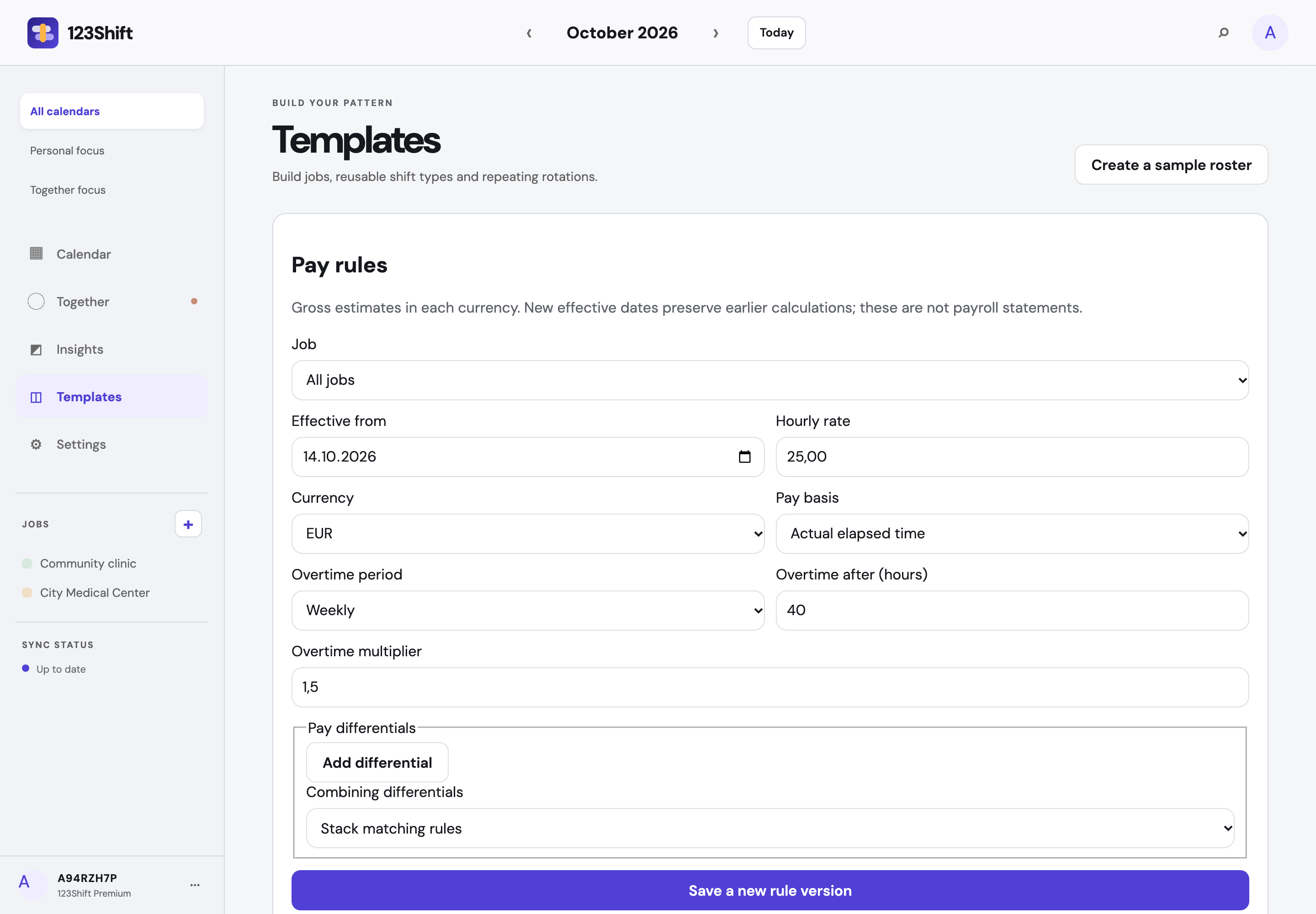
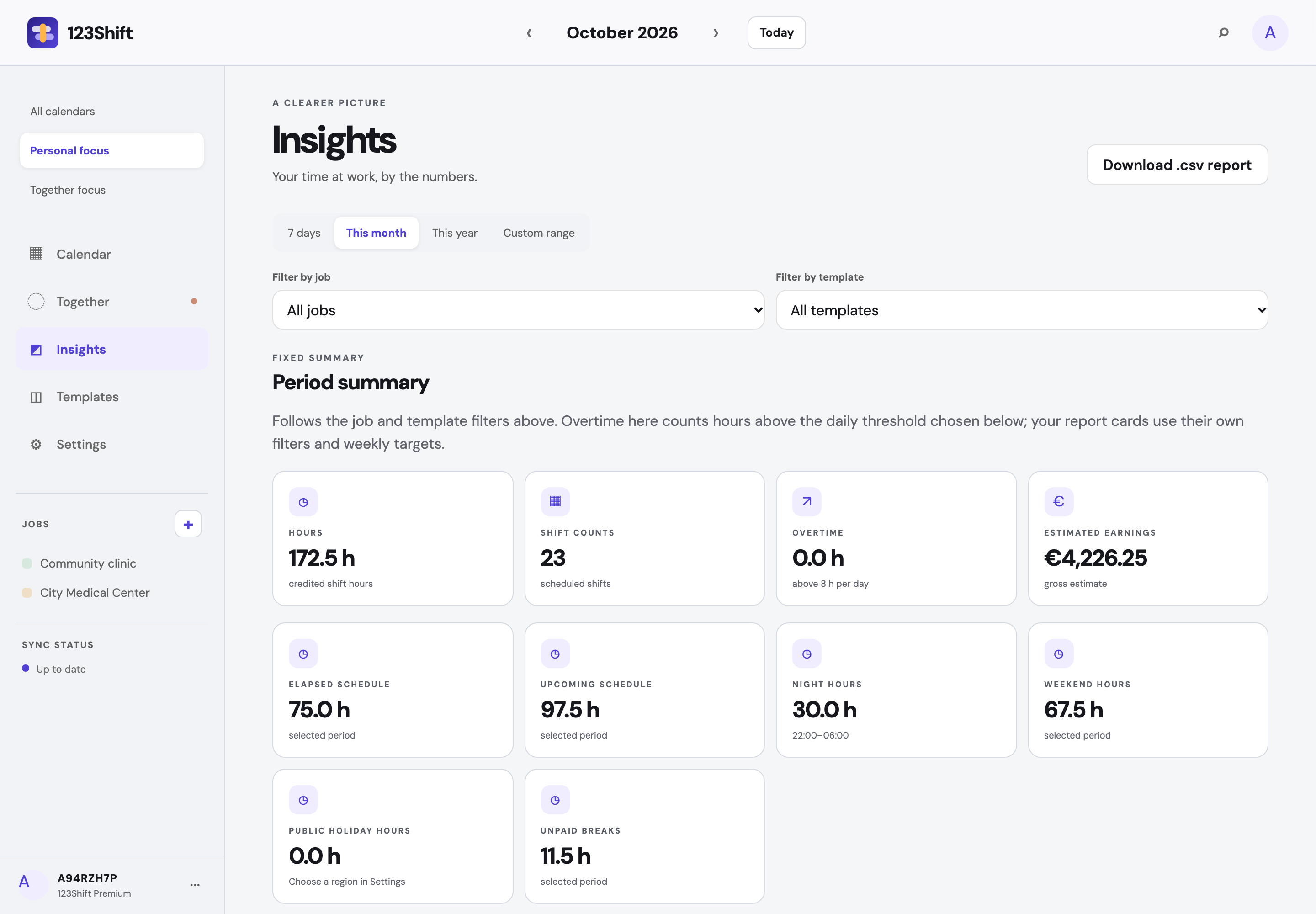
INSIGHTS AND EXPORTS
Choose a period and filter by job or shift type. Compare hours, shift counts and estimated gross earnings. Differentials and overtime follow your configured rules; different currencies stay separate.
Take your data with you as ICS, CSV or JSON. PDF views help with printing. Earnings are planning estimates, not payroll calculations.
Read the export and backup guide →THREE STEPS TO YOUR ROSTER
Start locally, add a job and a shift template. Enable sync when you want to connect your devices.
Add individual shifts or apply a rotation. Include personal appointments and check nights, breaks and your timezone.
Connect your separate accounts, approve sharing and state how far ahead your rosters are complete.
COMMON QUESTIONS
No. The development build uses an account ID and approved devices. The ID alone does not grant access. Keep the generated recovery password somewhere safe.
No. You keep separate accounts. Partner sharing is a distinct, revocable permission. Adding another device of your own uses a different approval flow.
Only that no entry is shown. Shared free time is calculated inside confirmed roster coverage and your availability settings. Unknown days are never assumed free.
You can edit your own entries locally in the loaded app. Changes wait to sync. Partner views need a current connection and are not stored as a permanent offline copy.
Not yet. This site shows real captures of the development build. The public web app and App Store download are not available; there is currently no purchase or trial.
Plan around what matters.
Read the planning guide